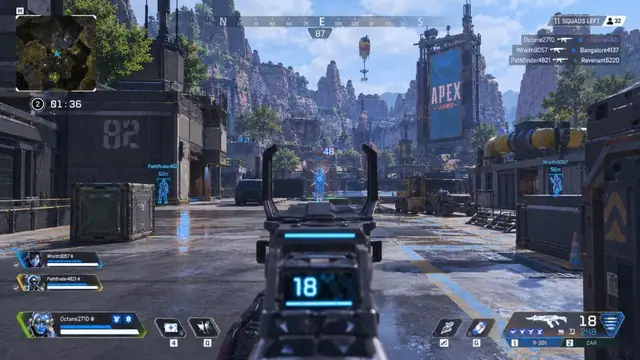
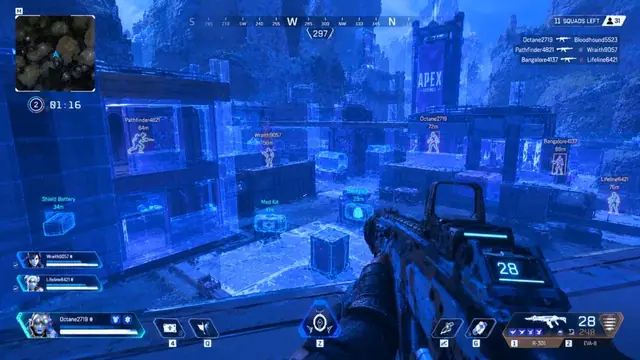
Aimbot FOV is the cone where APEX HACK considers targets. Too wide and aim snaps across the screen; too narrow and you miss chances. Use the aimbot module as your checklist while you tune.
What aimbot FOV actually controls
This FOV is not your camera FOV. It is the assist search radius around the crosshair. Mid FOV with moderate smoothness usually looks more natural than a huge FOV with zero delay.
Start in the firing range with one AR you main. Leave other modules off so you can judge assist alone. Note how far off-center a target can be before lock engages.
Suggested starting ranges
- Pubs / learning: medium FOV, higher smoothness
- Ranked: smaller FOV, medium smoothness, chest or nearest bone
- Long-range ADS: slightly wider FOV only if your menu supports ADS-only FOV
Smoothness before strength
Max strength first creates sticky tracking. Raise smoothness until flicks look intentional, then nudge strength up one step at a time.
Pair calm aimbot settings with no recoil only after FOV feels stable. Changing both at once hides the cause of problems.
Bone priority and hotkeys
Chest priority is a safer default for contested fights. Head priority can work in 1v1s but looks unnatural with wide FOV. Bind a temporary disable hotkey for close movement fights.
Common FOV mistakes
- Copying a streamer preset without matching DPI and sens
- Letting wall targets pull FOV through cover
- Testing only in pubs then jumping into ranked unchanged
Related guides
Next: no-recoil tuning, wallhack vs ESP, and APEX HACK setup.
FAQ: aimbot FOV
Should FOV match camera FOV?
No. Camera FOV changes how much map you see. Aimbot FOV only changes the assist cone.
Is a bigger FOV always better?
Usually not. Prefer the smallest FOV that still helps your main weapons.
Extra practical notes
Block thirty minutes for a FOV session: ten minutes FOV only, ten minutes smoothness, ten minutes bone priority plus a disable hotkey. Write the final numbers down so you can restore them after a patch.
If a season update changes feel, do not rebuild from scratch. Drop FOV one notch, confirm Ready status on the product page, then retest the same three steps.
When you are ready to purchase or extend access, open the APEX HACK product hub and choose a plan that matches how often you play.
Keep a second “safe” preset with smaller FOV for nights when you want less assist. Switching presets is faster than rewriting every slider under pressure.
Document DPI, Windows mouse settings, and in-game sensitivity next to your FOV numbers. Without that context, last month’s preset can feel broken after a PC change.
If teammates notice unnatural tracking, lower FOV before you lower strength. Most obvious-assist complaints come from a wide search cone.
Close the loop by recording a short local clip of range drills. Watching yourself makes sticky FOV easier to spot than judging feel in the moment.
Treat FOV as a ranked risk dial: the more contested the lobby, the more you should shrink the cone and rely on game sense.
Take notes while you test apex aimbot fov settings so you can restore a known-good preset after an Apex update without guessing.
Change one control at a time, play two full games, then decide whether the change helped. Stacking five slider moves in one night makes debugging impossible.
Use the firing range for mechanical checks and pubs for chaos checks. Ranked should inherit only presets that already survived both.
If a setting feels strong in the range but weak in real fights, your issue is usually movement, FOV, or information clutter—not a need for maximum strength.
Keep Windows updated, close unused overlays, and confirm the live status banner before you attribute a bad session to a single module.
When something breaks after a driver update, roll back the last change you made before you wipe the entire config.
Share settings with context: DPI, sens, and which modules were enabled. A bare number without context is not a preset.
Treat support replies as part of your notes. If a fix worked, write the exact steps so you do not re-learn them next season.
Avoid absolute claims about detection or bans. Focus on controllable habits: status checks, calm defaults, and capture tests for creators.
Revisit your presets every few weeks even without a patch. Your own playstyle drifts, and last month’s FOV may no longer match how you peek.
A short cool-down between big config changes prevents tilt-driven decisions. If a night goes badly, stop editing and finish with a known-safe preset.
Bookmark the module pages you actually use so you are not browsing the whole catalog mid-session when you only need one checklist.
If you play on multiple machines, sync notes—not only files. A copied config on different hardware can feel wrong for mundane DPI reasons.
Creators should separate “practice config” and “stream config.” Mixing them is how overlays leak into a VOD you cannot edit fast enough.
End each tuning session by writing one sentence: what improved, what still feels off, and what you will test next. That sentence is worth more than another random slider nudge.
Take notes while you test apex aimbot fov settings so you can restore a known-good preset after an Apex update without guessing.
Change one control at a time, play two full games, then decide whether the change helped. Stacking five slider moves in one night makes debugging impossible.